

LoadProof Feature Tab

Patent pending

Stay informed about every LoadProof capability in one place. Browse available features and request the ones that fit your operational needs.

Warehouse associate browsing the LoadProof capabilities portal on a rugged tablet
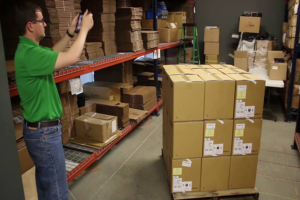
Two warehouse workers using LoadProof — one scanning with a wearable, one browsing the capability catalog on a tablet

Browse Every Capability from
One Central Location

Most organizations start LoadProof with a core set of capabilities, photo capture, basic documentation, maybe a few automated workflows. Over time, the platform grows. As warehouse operations evolve, so does LoadProof. New capabilities are introduced to help teams work more efficiently, but they're only valuable if employees know they're available. Without visibility into new features, organizations often miss opportunities to improve their day-to-day operations.

LoadProof Feature Discovery gives users a simple way to explore everything the platform has to offer. From one centralized location within the mobile app, teams can browse available capabilities, see which features are already enabled for their site, learn how each one supports their operations, and request additional functionality whenever they need it.

The Problem: Features Exist That
Nobody Knows About

Unlock More from Your Photo Documentation Platform

A team focused on photo documentation today may need guided photo capture, load time tracking, packing station monitoring, stretch wrap documentation, single sign-on, or advanced image annotation six months from now. The capabilities are available. But the path to discovering them is broken.

The Right Feature Shouldn't Be a Support Ticket

Someone hears about a feature from a colleague at another facility. Someone reads a release note from six months ago and wonders if it applies to their site. Someone contacts support to ask "can LoadProof do X", and the answer is yes, it has been able to do X for a year. They just had no way to know.

A LoadProof feature list that lives in a PDF or a help center article does not solve this. The information needs to live where the work happens — inside the app, one tap away.

Technician reviewing live operations dashboards in a data center
Warehouse supervisor exploring the Feature Discovery catalog on a tablet

Why a Centralized Catalog Matters

Making Every Capability Discoverable

The best technology only creates value when people know it exists. LoadProof capability catalog puts every feature in front of every user, not buried in a release notes archive, not locked behind a support conversation, not dependent on word of mouth between facilities.

Stay Ahead with Smarter Feature Discovery

Discover warehouse app features before the operational need becomes urgent. A team still doing manual cycle counts discovers automated audit forms. A supervisor struggling with inconsistent documentation discovers guided photo capture. A logistics director dealing with SSO compliance discovers Azure and Okta integrations. The catalog turns unknown capabilities into known options.

Request new LoadProof features without friction. The path from "I did not know LoadProof could do that" to "that feature is now live at my site" shrinks to a single tap.

What Feature Discovery Delivers

Centralized feature library, browse every capability from one location.

  1. 1. Built-in education - learn what each feature does through concise descriptions.
  2. 2. Site-based availability - see what is enabled now and what can be added.
  3. 3. One-tap requests - contact support directly from the app with all context pre-filled.
  4. 4. Simplified discovery - stay informed without searching documentation or product announcements.
  5. 5. Faster adoption - reduce the time between learning about a capability and using it on the warehouse floor.

LoadProof Feature Discovery makes it easy to explore everything the platform has to offer. With a centralized feature library built into the mobile app, users can discover new capabilities, understand their value, and request access in just a few taps.

How Feature Discovery Works

  1. 1.Explore Every LoadProof Capability

    Browse all LoadProof capabilities in one scrollable catalog. Explore photo documentation, automation, security, and workflow tools at a glance.

  2. 2.Instant Visibility into Site Capabilities

    See which features are active at your current site. Discover additional capabilities available to request.

  3. 3.Enable New Capabilities with One Tap

    Find the capability you need and request it instantly. The app automatically includes your site information for a seamless request.

How LP Feature Tab Works

  1. LoadProof app showing the LP Features tab with every capability listed LP Features Tab
  2. App dialog confirming a capability is active at the current site Add on Status
  3. App dialog offering to contact support about a capability Contact Support
  4. App dialog confirming the support team will be in touch Alert Messages

Talk to Our Solution Expert

Find the features that best fit your warehouse operations and business goals.