



















Driver License Verification Patent pending

Verify driver credentials during load capture and link the driver’s license directly to the load. Keep driver verification and shipment documentation together in one workflow.

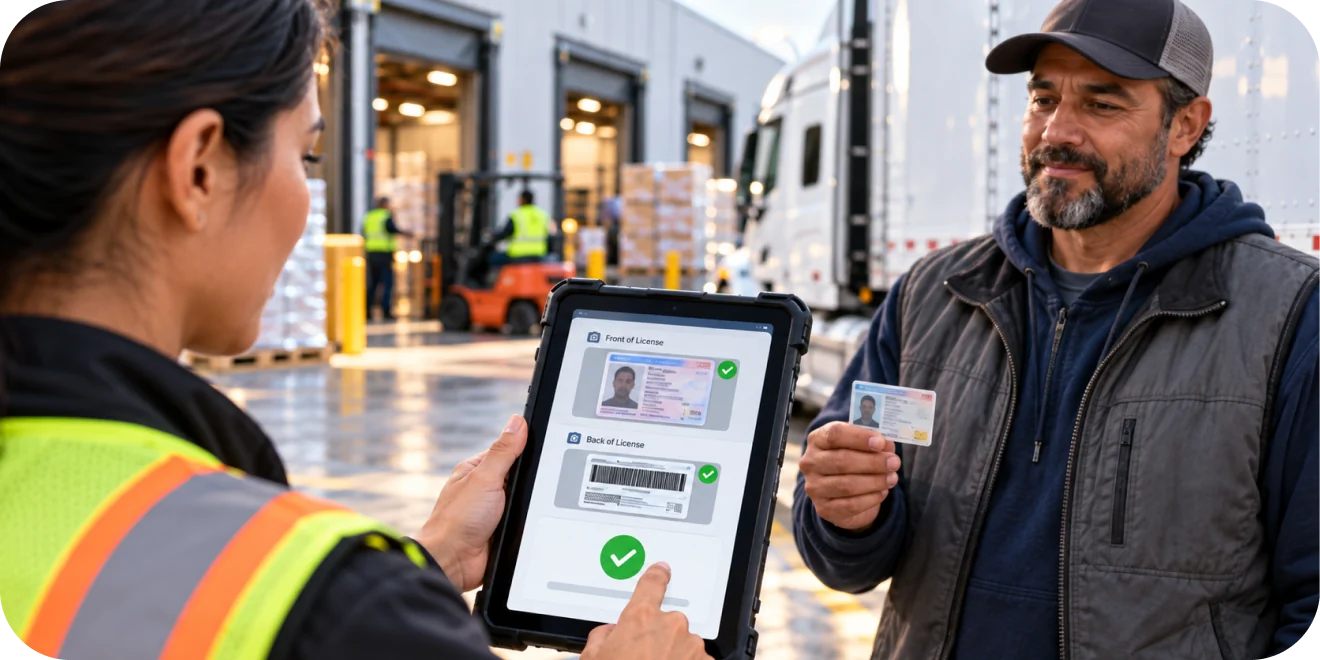
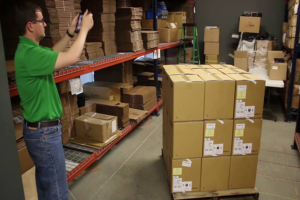
Warehouse worker verifying a truck driver's license on a tablet at the loading dock
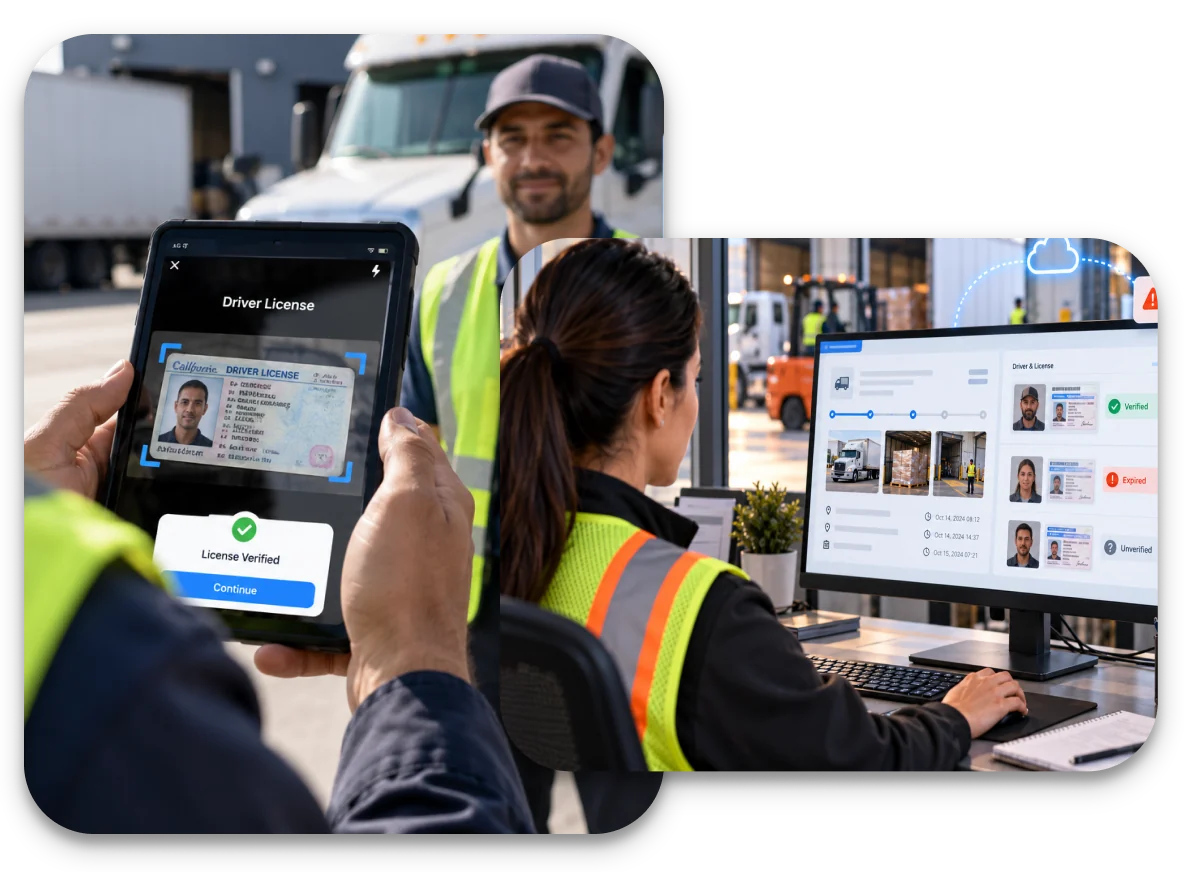
Driver license captured and verified on a tablet, with each driver's verification status shown in LoadProof Cloud

Driver License Verification: Verify Driver Credentials Before the Load Moves

A truck pulls up to the dock. The driver hands over a paper manifest and a company ID. The load gets released. Days later, the shipment is missing, and the question comes up: who actually picked up that load?

Without driver license verification, the answer is uncertain. The manifest was probably legit and the ID was probably fine. But there is no record linking a verified driver to that specific load. The documentation stops at the freight. The driver who took it remains a name on a piece of paper.

You can address this problem with driver license verification. LoadProof MultiLoad captures the driver’s license during the load capture process, verifies the credentials, and links the license directly to the load record.

Capture the front and back of the license. Verify the information automatically and view the verification status alongside the shipment.

The Problem: Loads Move Without Driver Verification

Most documentation workflows treat the driver as an afterthought. The focus is on the freight such as photos of the pallets, the loading condition, the trailer. The driver is whoever handed over a paper and got the load released on a handshake and a signature.

That gap creates three risks.

  1. Transportation security suffers because there is no verification that the person at the dock is an authorized driver.
  2. Compliance becomes fragile because audits require a defensible record of who handled each shipment, and a paper manifest is not that.
  3. Traceability breaks down because when something goes wrong like a damaged shipment, a theft investigation, a disputed delivery, the team cannot quickly identify the driver connected to the load.

Unauthorized pickup prevention starts with capturing the driver’s identity at the same moment the shipment is documented. Driver license scanning warehouse workflow makes the driver part of the record, not a peripheral detail.

How Driver License Verification Works

Driver verification is built directly into the existing LoadProof MultiLoad workflow. Once the Driver License add-on is enabled for a site, the capture process adds one step: the driver’s license.

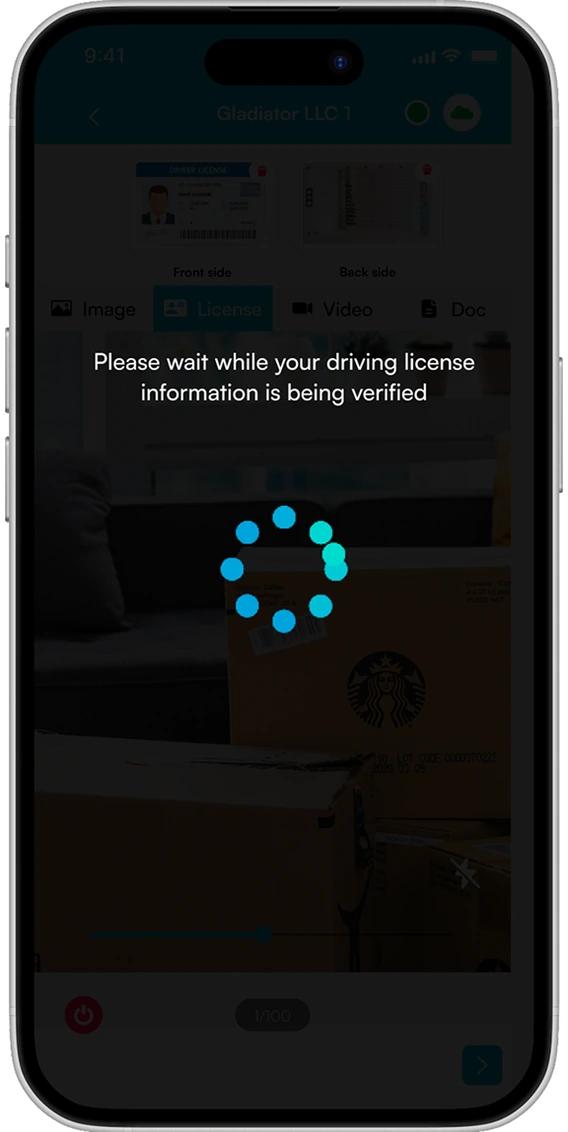
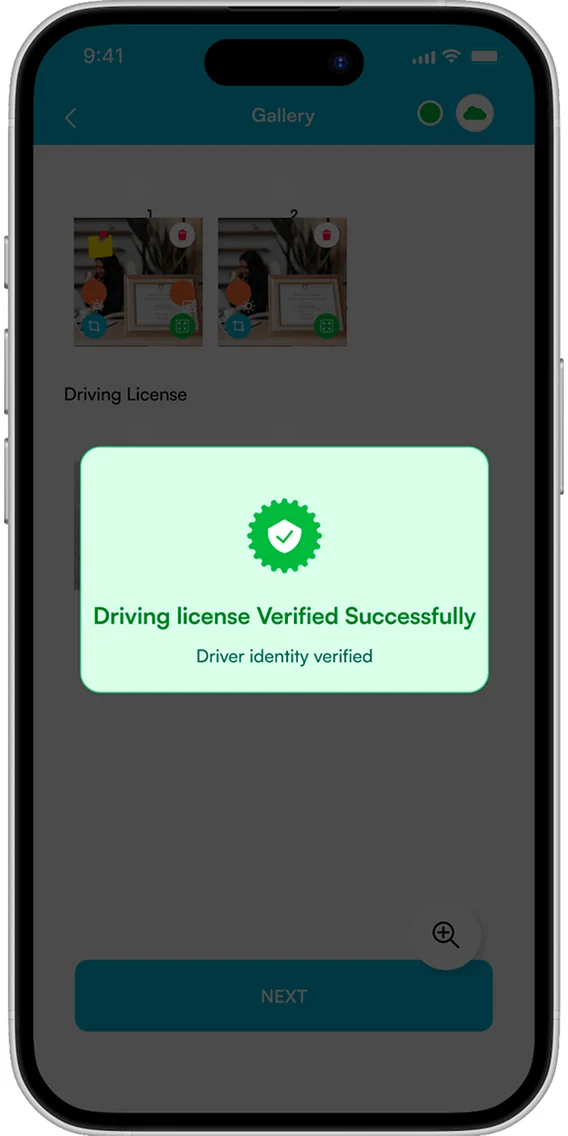
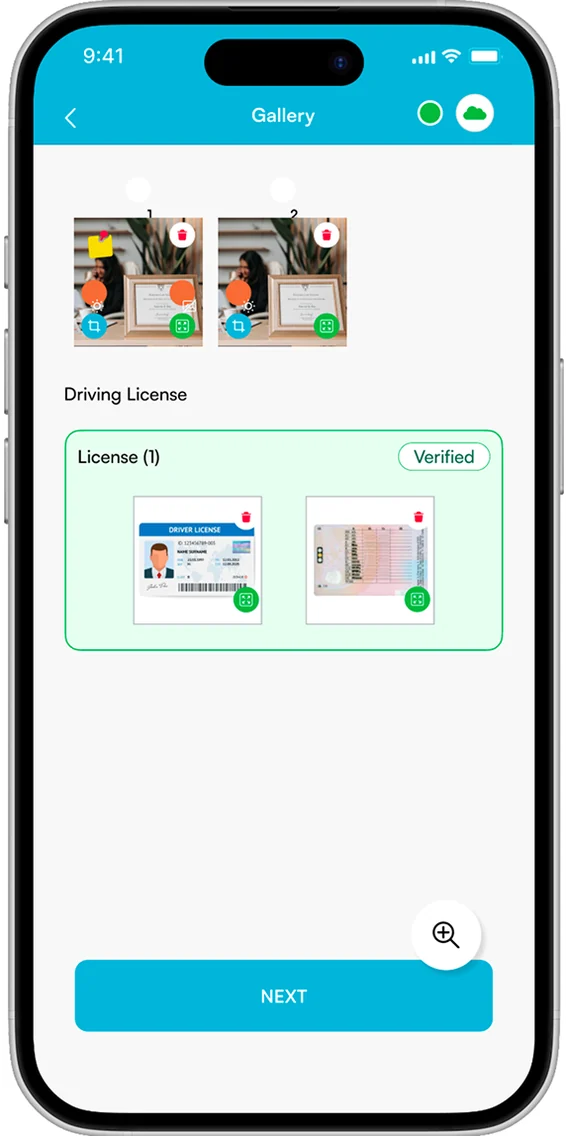
The workflow is five steps. The user starts a new load as normal. They open the license section and capture the front and back of the driver’s license using the mobile app. LoadProof automatically initiates the license verification process. The system identifies the license as verified, invalid or expired, or unverified. The load uploads to LoadProof Cloud with the driver license information attached.

Capture, verify, and link the driver’s license to the load, all within LoadProof MultiLoad. You don’t need to have a separate system, manual cross-checking, or extra paperwork.

What Happens When a License Cannot Be Verified

Invalid or Expired License

An invalid or expired license does not stop the workflow completely. The user can retake the license capture for another verification attempt or continue the load with the license flagged as invalid. If they continue, an automated notification is sent to the configured administrator or email address, ensuring the exception is clearly surfaced.

Verification Without Internet

When there is no internet connection, license verification cannot be completed immediately. The user can retry once the connection is restored or continue the load without verification. When the license is uploaded to LoadProof Cloud, it is automatically identified as unverified, making the verification status clear to the team.

Unverified License Tracking

An unverified license remains connected to the load even when verification is still pending. The driver’s information stays associated with the shipment throughout the process. Once uploaded to LoadProof Cloud, the record clearly identifies the license as unverified, preserving driver information and maintaining complete shipment traceability.

Status-Based Verification

A failed verification does not remove the driver from the load record. Instead, the verification result is recorded as a status, such as Verified, Invalid, or Unverified. Every load retains its associated driver documentation, allowing teams to immediately understand what was successfully confirmed and which exceptions still require attention.

What Changes When Driver Verification Is Built Into the Workflow

1. Verified Driver Protection

Transportation security improves because authorized and verified drivers are connected to each shipment. An unverified driver is flagged before the load is released, not discovered after an incident.

2. Audit-Ready Driver Records

Compliance strengthens because driver records stay linked to load information. Audits have a defensible answer to "who handled this shipment", a captured license, a verification status, and a timestamped connection to the load.

3. Driver Credential Validation

Unauthorized pickups decline because driver credentials are verified before the load process completes. A driver who cannot present a valid, verified license is visible in the system, not lost in the paperwork.

4. Seamless Driver Documentation

Load processing speeds up because verification happens in the same workflow as documentation. You don’t need to have a separate manual process or chase a driver for paperwork after the fact.

5. Instant Driver Traceability

Driver traceability shipping improves because every load carries the identity of the driver who handled it. Questions get answered in seconds, not days of reconstruction.

Keep License Information With the Load

Once uploaded, driver license images and their verification status appear with the corresponding load and picture records in LoadProof Cloud. The captured license also reflects in supported append, vendor, print, and email pages, so driver documentation stays connected to the shipment record at every touchpoint, not just inside the capture screen.

Driver documentation for loads means the license travels with the load through the entire lifecycle. You can view it in the cloud, print it with the shipment record, and mail it as part of the documentation. The driver’s identity is part of the record wherever that record goes.

Talk to Our Solution Expert

Capturing a Driver’s License Links the Driver to the Load, So You Know Who Handled Every Shipment

What Driver License Verification Delivers

1. Mobile License Scanning

Front and back license capture directly from the mobile app

2. Seamless Verification Workflow

Automatic verification triggered at the point of capture so nothing to remember

3. Integrated Driver Documentation

License information linked straight to the load record, not stored separately

4. Verification Status On Every Load

Verification status visible with each load: verified, invalid or expired, or unverified

5. Retake Failed Captures

Retake or update options when a license fails or changes

6. Automated Compliance Notifications

Automated administrator alerts when a load proceeds with an invalid license

7. Unified Documentation Experience

Driver documentation carried across append, vendor, print, and email pages

8. Driver-To-Shipment Tracking

Traceability that connects every shipment to the driver who handled it

A load record without a verified driver is a load record with a question mark

Driver license verification captures the driver’s identity at the same moment the freight is documented. You can capture the license, verify the credentials, and link the driver to the load. When every shipment carries the identity of the person who handled it, security improves, compliance gets stronger, and the question “who picked up that load” always has an answer.

How Driver's License Verification Works

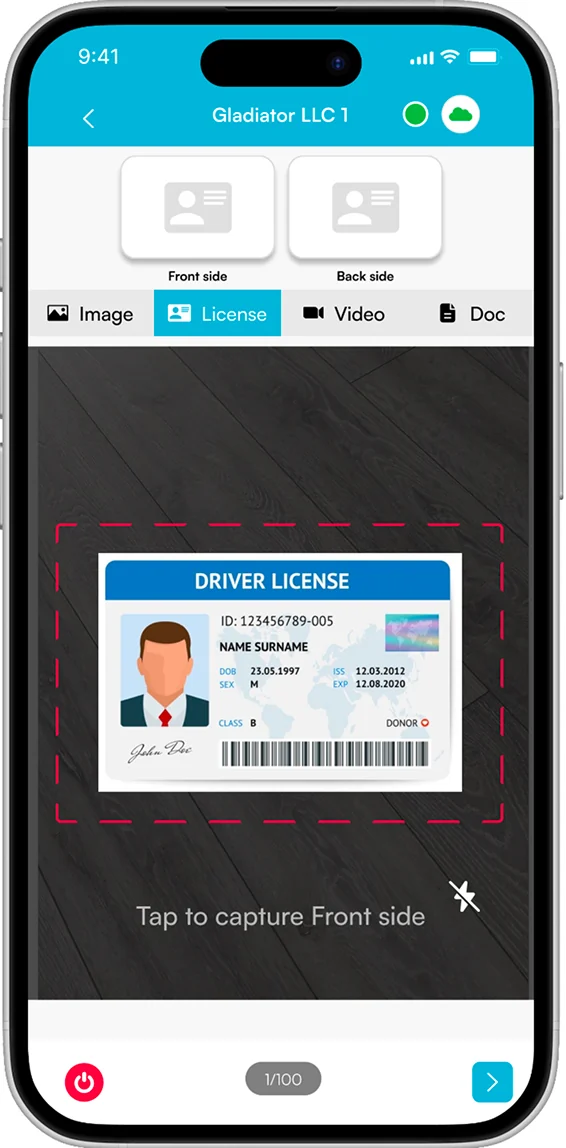
LoadProof app screen capturing the front side of a driver license

Capture License

LoadProof app verifying the driving license information with the API

Verifying with API

LoadProof app confirming the driving license was verified successfully

Verified

LoadProof app gallery showing the verified driver license attached to the load

Uploaded